

Join the Service! Download the app! Buy the Heart Rate BeltGet support!
Sports TrackerBlogAboutJobsContactMedia

iOS & Web Front End Developer

17 May 2013 Jobs

We’re looking for brilliant talent that preferably has experience in both iOS (primary skill) and web front end development. Specifically, skills/experience in following areas are required:

• iOS version 5 and 6

• Knowledge of Location API, Bluetooth API is a plus, but not mandatory

• Modern web technologies. Keywords: REST, jQuery, HTML5

Being used to working effectively in a small and energetic group (remotely or in the same location) is a must. We also appreciate if sports plays a part in your life so that you can also help us develop the service concept by understanding the mindset of our users.

We are a small but highly energetic team that approaches the development of Sports Tracker with immense passion. We offer a fun, dynamic and open working environment with motivating challenges for each and every day.

We are located in Helsinki and Tampere in Finland but working remotely is also an option.

If interested please send us your free form CV.

Service maintenance today, May 3rd 9am CET

2 May 2013 News, Web Service

Update: The service is now back online. It might take a few hours (or up to a day) for all workouts to be synced, but you should now be able to login to our service. If not, please follow these instructions: http://j.mp/MCmenj

We will be performing some service maintenance today, May 3rd at 9am CET, in hope of getting rid of the login issue that some of you have been experiencing.

Estimated downtime is a few hours. During this time, you’ll be able to track your workouts as usual, but login/ sync won’t work.

Thanks for your patience and understanding!

Team Sports Tracker

Tagged in , , , , , , ,

Android Beta – looking for new testers!

30 April 2013 Android, Releases, Work in Progress (WIP)

Our beta testers have been eagerly testing the new, completely rebuilt, version of our Android app. We’ve been really satisfied with the testing, so now we’d like to open it up to a whole bunch of you. We’re especially looking for you with full HD phones as well as our heart rate monitor users. Others are of course also welcome to apply.

To get hands on the beta version, please apply here: http://bit.ly/12gxcRQ

Thanks for bearing with us on this somewhat long journey:)!

Tagged in , ,

Server maintenance today – 4-8 hours downtime expected

24 April 2013 Releases

Update: the servers are now back online. Syncing workouts might still take a few hours.


Just a heads-up, we’re doing some server maintenance today, April 24th, starting at 10am CET.

Expected downtime is 4-8 hours.

You can still track your workouts during this downtime. Once the servers are back online, your workouts will automatically sync to the web service.

Tagged in

Sports Tracker finalist for 2013 Red Herring’s Top 100 Europe award

16 March 2013 Releases

Sports Tracker is happy to announce that it has been selected as a Finalist for Red Herring’s Top 100 Europe award, a prestigious list honoring the year’s most promising private technology ventures from the European business region.

How cool is that, huh?

Heart Rate Training Continues with Alternative Fat Burning Method

30 January 2013 Heart Rate Training

Time to Burn Some Calories with Strength Training

Last month we introduced Heart Rate Zone based training with two simple aerobic exercises. We got lots of positive feedback that this sounds really interesting, so we are continuing straight away by extending the theme of fat burning.

There are people who don’t especially enjoy doing long duration aerobic training but would like to lose weight more efficiently. Luckily there’s an alternative.

Currently we have a 5-scale Heart Rate Zones on iPhone and other of the phones are using 3-scale model. The Zones 5 to 4 correspond to High, Zone 3 to Moderate, and Zones 2 to 1 to Light. If you missed our previous lesson, read here. More information on Heart Rate Zones and adjusting your HRmax, read here.

More Functional Alternative: Anaerobic Fat Burner 500

500 kcal in 1:20:00

Best suited for: Kettlebell training, lifting weights, and group classes focused on strength training (commonly including word pump in the name)

Strength exercise with moderate intensity. Focus on burning body fat effectively. Requires some basic skills depending on the chosen activity.

Target Times (on iPhone) Target Times (other phones)

Durations & Instructions

Preparation: Choose 6-8 strength training exercises that will together activate whole body from legs to arms.

  1. 15 minutes: Start with easy aerobic warm-up, on Zones 2-3 / Light to Medium.
  2. 50 minutes: Strength training part. Heart rate varies greatly by person and by selected exercises, but mainly should go up to Zone 4 / Hard on sets and lower to Zones 3 to 2 / Medium to Light on short breaks.
      • Perform the first exercise. 3 sets, 15-20 repeats in each set, and short 30-45 seconds rest between sets. Use such weights that the last set feels demanding.
      • Short break, 30-45 seconds. Take some breath and enjoy the feeling.
      • Perform each exercise as above until you have done all 6-8 exercises or 50 minutes is full.
  3. 15 minutes: Easy aerobic cool down on Zones 2-3 / Light to Medium. Pay attention: this is the part of this workout when the fat reserves actually burn. So don’t skip this even if tempted – otherwise muscles recover by using other sources of energy than fat.

Proper warm-up phase is important for the safety of your body and the effectivity of this workout. Keeping the breaks short force your body to keep the fat metabolism active. If you need to keep a longer break at some point, keep one 5 minute break in the middle rather than start prolonging all the breaks between sets. Check also that you are not doing the workout with too heavy weights or pace – this is not a maximum effort workout. Furthermore, the recovery part is essential for fat burning but also for the metabolism and recovery of your muscles.

If you are totally new to strength training or find it hard to know what kind of weights to use, it could be best to ask for an advice first. You could try out a group training class or simply ask an experienced friend to help you – on most activities the skills are not that difficult to learn. And if you happen to be a “weekend warrior” personality that has to do everything with maximum effort… don’t push yourself too hard. The idea is not to break yourself!

And remember: always consult your doctor or physician before starting exercising.

Required software and hardware

  • Sports Tracker application on Android, iPhone or Symbian. Download at your phone’s application store (App Store, Google Play, Nokia Store). Currently Windows Phones do not support Heart Rate Monitors.
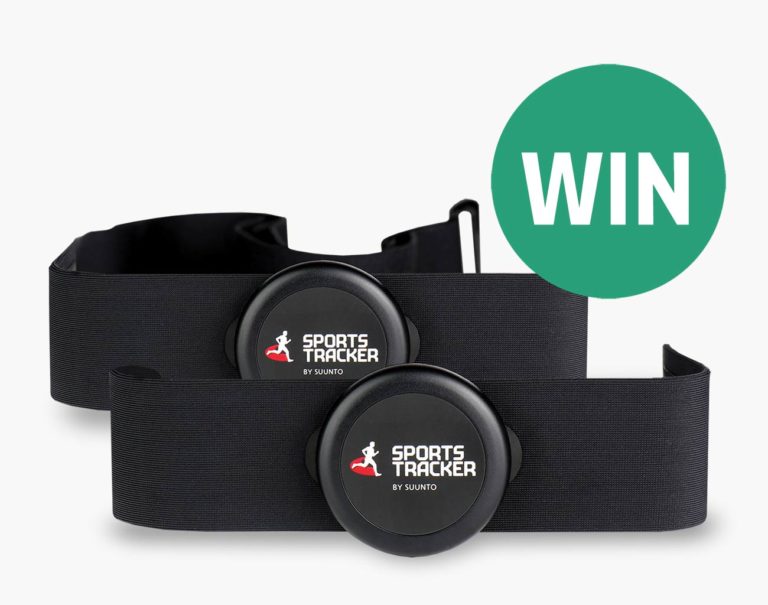
  • Sports Tracker Heart Rate Monitor – available at Sports Tracker Shop

Sports Tracker Heart Rate Training School starts

8 January 2013 Heart Rate Training

Time to Burn Some Calories!

For most of us the holidays are now over and New Year’s resolutions are given once again. It’s perfect time to introduce some new tricks to motivate ourselves and our friends in need: Sports Tracker Training School. We’ll start with simple examples of how to make use of the Heart Rate Zones.

For example, Heart Rate Zones can be used for guiding us to train with meaningful intensity for the required time. Below we present two workouts that are targeted for burning fat. To take the exercise is really simple: read the workout instructions, start tracking and swipe to the Heart Rate view, and select Zones. You can see in real time how much time you have spent on each Heart Rate Zone. They correspond quite well with the actual effectivity of your sports. So… can you give 1.5 hours of your busy life to take the Fat-Burner 1k (that’s for 1000 kcals) or would you rather take the Mini version?

Currently we have a 5-scale Heart Rate Zones on iPhone and other of the phones are using 3-scale model. The Zones 5 to 4 correspond to High, Zone 3 to Moderate, and Zones 2 to 1 to Light.

Easy After-Holidays Special: Fat Burner 1k

Calories and Duration: 1000 kcal in 1:27:00

Best suited for: Cycling, Running, Skiing, Rowing

Quite easy aerobic workout that you can do even with little experience – for example with an indoor bike. Longer duration is needed for efficient fat burning, since it truly begins only after half an hour of continuous exercise. Few sprints during the exercise boost the fat metabolism of your body and also make the exercise more fun. Great workout to relax your mind with a good playlist.

Target Times (on iPhone) Target Times (other phones)

Durations & instructions

  1. 10 minutes: start with light warm up, on Zones 1-2 / Light.
  2. 67 minutes: lift the pace to “travel speed” where you sweat but don’t have to push yourself too much, mostly on Zone 3 / Moderate. During this phase, make 4 x 30 seconds sprints with about 10 minutes between each sprint. You should reach Zone 5 / Hard. 30 seconds may not sound much, but it really makes this exercise more effective. Between sprints keep mostly on travel speed (Zone 3 / Moderate) or lower if you need to gain strength. If you are outdoors, make the sprints towards light uphill if possible.
  3. 10 minutes: at the end, cool down on light pace, on Zones 1-2 / Light.

If the Zone 1 feels too light for you (depending on your activity type), feel free to keep more time on Zone 2 instead. Also note that when doing this exercise by cycling, you might not reach Zone 5 during the sprints and that’s normal, because only lower body muscles are active.

! Please note: Actual calorie consumption can vary about 20% depending mostly on your gender and weight. Using Heart Rate Zones in training requires that your personal HRmax (Maximum Heart Rate) and Zones are set correctly in your app’s settings. Read more about HR Zones and HRmax. It is very important that you consult a doctor before beginning any type of exercise. Always stop exercising immediately if you experience any shortness of breath, dizziness, or pain.

Load Fat Burner 1k simplified instructions to your mobile phone via QR-code


Sports Tracker Fat Burning Instructions in QR Code


Easy Starter Exercise for Beginners: Mini Fat Burner

Calories and Duration: 500 kcal in 0:45:00

Best suited for: Cycling, Running, Skiing, Rowing

Quick and rather easy aerobic workout that you can do even with little experience – for example with an indoor bike. Short duration is compensated with three maximum-speed sprints during the exercise to boost the fat metabolism and to make the exercise more fun. Suits beginners or as a light workout complementing your program.

Target Times (on iPhone) Target Times (other phones)

Durations & instructions

  1. 5 minutes: start with light warm up, on Zones 1-2 / Light.
  2. 30 minutes: lift the pace to “travel speed” where you sweat but don’t have to push yourself too much, mostly on Zone 3 / Moderate. During this phase, make 3 x 30 seconds sprints with about 5-10 minutes between each sprint. You should reach Zone 5 / Hard. 30 seconds may not sound much, but it really makes this exercise more effective. Between sprints keep mostly on travel speed (Zone 3 / Moderate) or lower if you need to gain strength. If you are outdoors, make the sprints towards light uphill if possible.
  3. 10 minutes: at the end, cool down on light pace, on Zones 1-2 / Light.

If the Zone 1 feels too light for you (depending on your activity type), feel free to keep more time on Zone 2 instead. Also note that when doing this exercise by cycling, you might not reach Zone 5 during the sprints and that’s normal, because only lower body muscles are active.

! Please note: Actual calorie consumption can vary about 20% depending mostly on your gender and weight. Using Heart Rate Zones in training requires that your personal HRmax (Maximum Heart Rate) and Zones are set correctly in your app’s settings. Read more about HR Zones and HRmax. It is very important that you consult a doctor before beginning any type of exercise. Always stop exercising immediately if you experience any shortness of breath, dizziness, or pain.

Load Mini Fat Burner simplified instructions to your mobile phone via QR-code


Sports Tracker Fat Burner Mini Instructions via QR-code


Required software and hardware

Tagged in , ,

iPhone App Update and Other News from the Front…

9 November 2012 iPhone, News, Releases

The new version of our iPhone app just hit the AppStore! This time around the update includes full support for the new Sports Tracker Heart Rate Monitors, informative Heart Rate Zone features and stability improvements.

What’s New in Version 1.8.5 for iPhone

Bluetooth Heart Rate Monitor support for iPhone 3GS, iPhone 4, iPhone 4S and iPhone 5! Order the compatible Sports Tracker Heart Rate Monitors from shop.sports-tracker.com.

New Features

  • Pair with Sports Tracker Heart Rate Monitor 2 and SMART
  • See current, average and maximum heart rates during tracking
  • Learn Heart Rate Zone training with three new specialized views: Time Chart, Time on Zones and Distribution Details
  • Set up your HR Zones using your personal Maximum Heart Rate value (HRmax)
  • Switch heart rate display units any time: BPM or percentages of your HRmax
  • Use pre-set or custom alarms to stay in the right Heart Rate Zone during training
  • Change Heart Rate alarms also during workout

Other Improvements

  • Performance improvement for all charts during workout
  • Fix for crash preventing app working on some iPhone5/iPad devices
  • Fix for crash when opening a workout in Explore and User Profile views
  • Fix for crash while editing/adding workout manually

What’s up at the Sports Tracker HQ

Development & testing – that’s what’s up! Our new backend – meaning new super-fast databases and support for some awesome features – is currently being tested with real data. It’s looking good and is just incredibly fast! Work is also steadily advancing on the new web site and the improved Android app. Beta testing on both is coming up and we’ll be asking for your participation when the time comes :)

Beyond work the beautiful autumn sun is shining on the terrace of our Tampere office and it’s -1 celsius. Excellent weather for some biking in the forest trails. How’s the weather in your neck of the woods?

Happy tracking!

Team Sports Tracker

Tagged in , , , , , , , , , , ,

Get Your Heart Rate Going – Now Also on iPhone!

10 October 2012 Accessories, News

UPDATE to last weeks post: We are happy to finally start pre-orders on not one but TWO new Sports Tracker Heart Rate Monitors that finally along with the new version of our app add Heart Rate support to not just iPhone 4s and iPhone 5 but also to iPhone 3GS and iPhone 4!

With the new Sports Tracker HRM SMART and Sports Tracker HRM2 we’ve got the right solution for Heart Rate Tracking no matter what device you are using: iPhone, Android, Symbian, Nokia N9!

The new monitors start shipping in the beginning of November but you can already pre-order yours to make sure you are the first to get it! And if you pre-order by the 24th of October we’ll even throw in FREE SHIPPING!

A preview-version of the Heart Rate app (with iOS6 and other fixes) is also now available from the App Store so update now to get a taste of the new features!

So head to our new online store, pick the right monitor for you and get your Heart Rate going!

Team Sports Tracker


Tagged in , , , , , , , , , , ,

Dearest Diary: A Quick Progress Update

2 October 2012 Work in Progress (WIP)

Quick progress update on all fronts! Team stress levels up to 167% (conservative estimate) as we get closer and closer to launching all kinds of fun stuff :)

New Website

Diary Layout Up for Review

Next up for review is the new Diary view. We already posted it to our Development Community last Friday but in case you missed it you can check it out now and let us know what you think!

Layout Tweak: More Black

Based on the feedback to the new Dashboard design one thing was clear. The layout should not steer totally clear of the current “Sports Tracker Black” which was seen as a clear distinctive element when comparing to other similar services.

On the other hand the new lighter background also got a lot of positive feedback for it’s clarity and readibility.

As it always is with design it is tricky to hit the balance between “cool” and “functional” but with the new update to the layout we believe we’ve come pretty close. Check it out and let us know if we are on the right track!

HTML Beta

While you’ve been commenting on the layouts our team has been busy building the all important backend and frontend pieces to the new site and at the moment we are aiming for the site to be in Beta during this month.

We wanted to get it out already earlier but it seems like we have been a bit too optimistic and we still need a little more time to get it up and running. We are very excited about the developments and hope that you can wait just a little longer for us to get it out for you to test.

Android Revamp

Work on the new revamped Android app is also progressing well. We don’t have an exact date on the release yet but we are working as hard as humanly possible to bring you an app that is more stable and bug free. Stay tuned for a call for Beta testing.

iOS 6 & iPhone 5

iOS6 and iPhone5 related small issues and optimizations are being worked on and an update is imminent. Other news for iPhone trackers coming soon as well…

Backend & Service Stability

We’ve luckily been able to stabilise the service so that we haven’t had as many service breaks as we had a while back and at the same time the work on the new & improved backend is progressing well and we expect to launch it along with the new web service and updated Android app.

Thanks (as always) for your support & keep on tracking!

Team Sports Tracker

Tagged in , , , , , , , , ,